
Sometimes a recording was submitted, or the student believes it was submitted, but it does not appear or does not play back. In this case something has gone wrong.
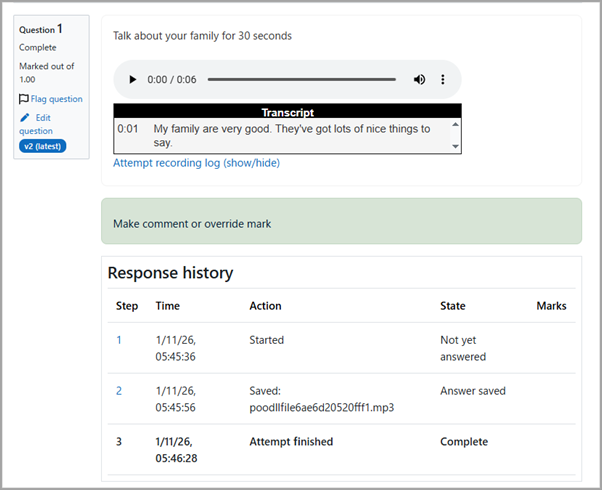
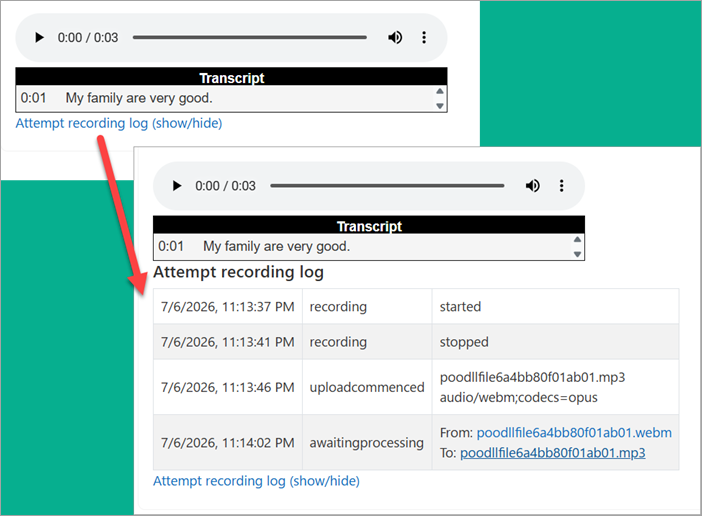
On the quiz attempt's review page beneath each question response you will see a Response History. And beneath each Cloud Poodll Question you will see an attempt recording log.
Response History
Check that the attempt finished and a filename was displayed and listed as saved. If it was not, then the recording was not saved.
Attempt Recording Log
Check that the awaiting processing step was reached. If it was not, the file was not uploaded.
If the recording was saved and uploaded possibly it did not contain any data (eg an audio file of silence). Possibly something went wrong on the server. If you have the filename and time of recording, Poodll support may be able to help.