H5P has a lot of excellent activities, such as crossword puzzles and interactive video, that can be useful alongside MiniLesson items. Using the MiniLesson H5P item type we can embed an H5P activity inside MiniLesson as an item.
You can see an example here:
https://demo.poodll.com/mod/minilesson/view.php?id=1820
Configuring an H5P item
There are only two settings: Total marks and Package file.
Total Marks
This is the number of points that the score generated in the H5P activity contributes to the MiniLesson score.
NB The final minilesson grade (%) is calculated as the ratio of students achieved score / total possible marks. Some items like H5P allow you to specify the item's score contribution. Others like multichoice are fixed to "1".
Package File
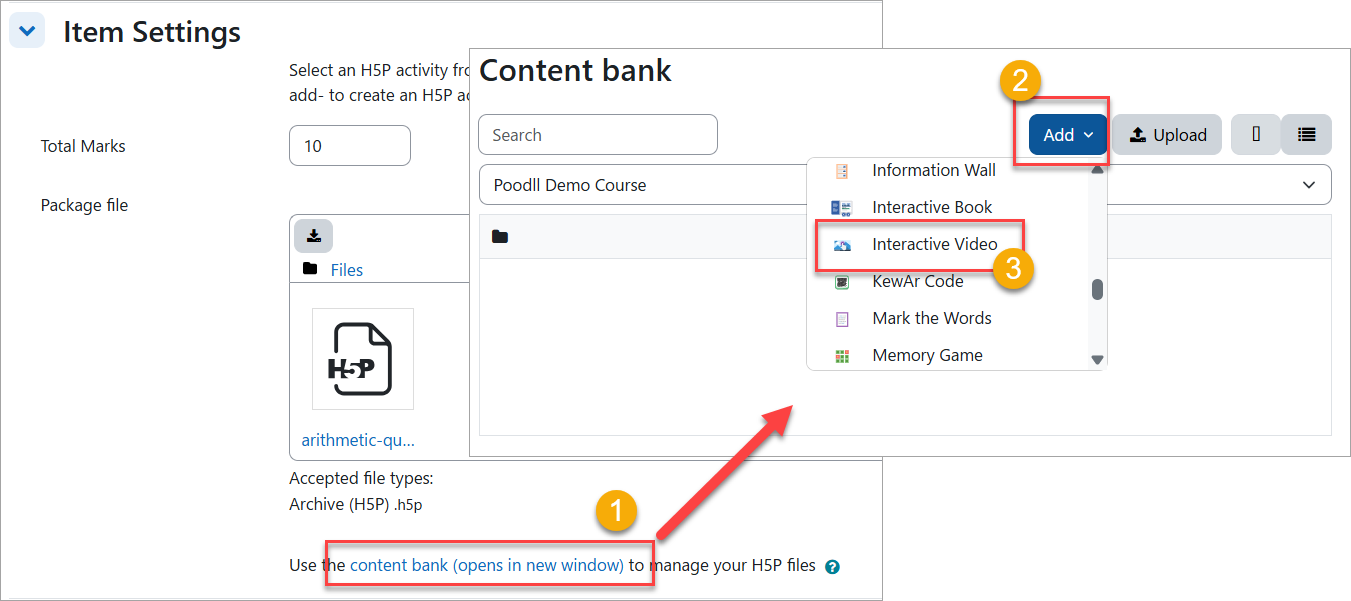
In Moodle's native Interactive Content(H5P) activity type the H5P item is first created (uploaded) and then added to the content bank. From there it is selected for inclusion in the activity. The MiniLesson item type follows the same pattern.
i) You should upload the item package into the package file area if you have a package. OR
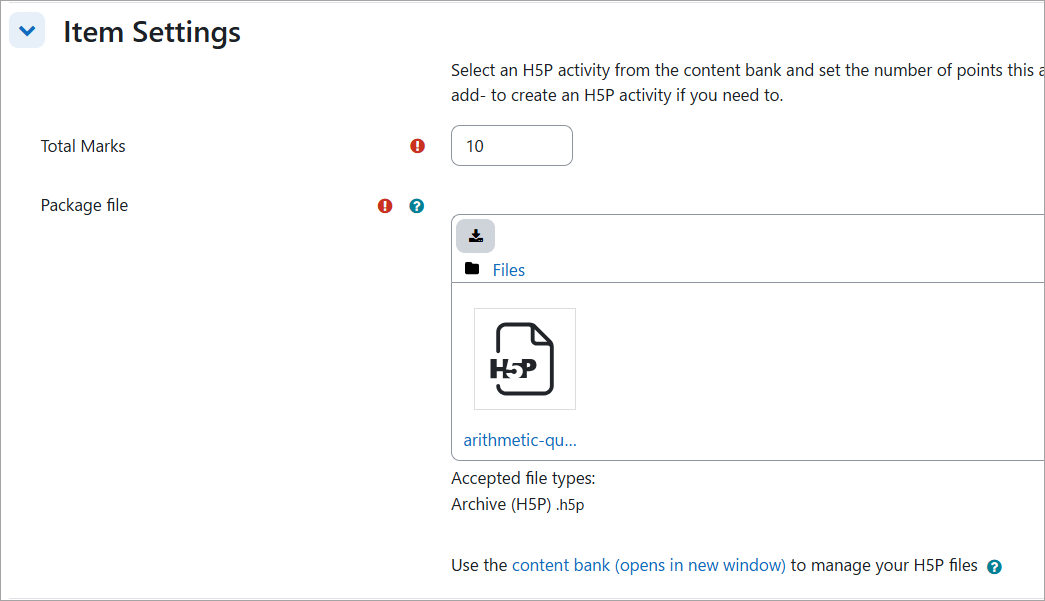
ii) Select the item package from the content bank. Do this by clicking on the content bank link beneath the package file area.
iii) Create one from scratch. To do that :
1) Click the content bank link beneath the package file area
2) Choose add from the menu
3) Choose the H5P content type
4) Configure it, save it and choose it.