
Since Cloud Poodll Assignment Submission v1.0.45 (Build 2026052900) it is possible to add a link below the video or audio recorder that allows the student to upload a file instead of recording one.
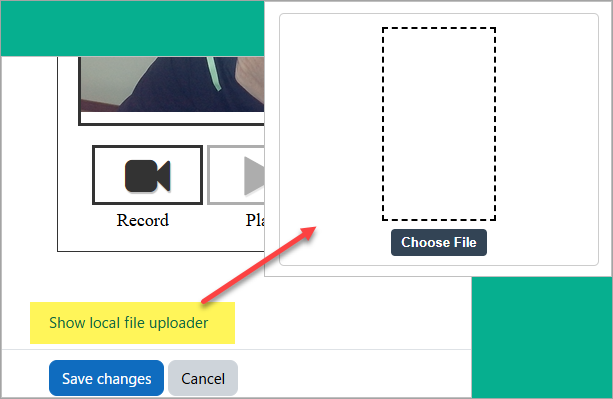
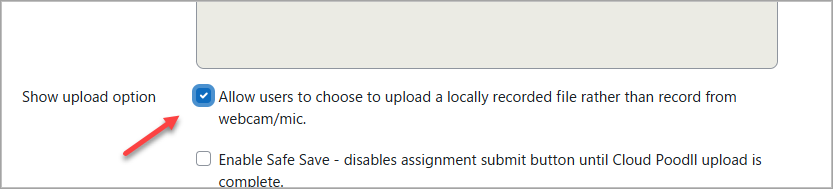
This feature is enabled in the Cloud Poodll Assignment Submission instance settings under "Show upload option"
It has always been possible to choose the "upload" recorder skin to show an upload area. But in that case the recorder for the submission is pre-determined as an upload area.
The new option is useful when some students will use a web camera, but others may have a recording made locally (eg on a phone) that should simply be uploaded.